See a Rapid Impact sprint, step by step.
Follow one sprint from a First Signal finding to a funded pilot: AI-enabled customer service falling short of its productivity target. Fifteen steps, about three minutes.
Preview of Rapid Impact, now in development. Illustrative example with sample data.
- Step 1 of 15 · Frame
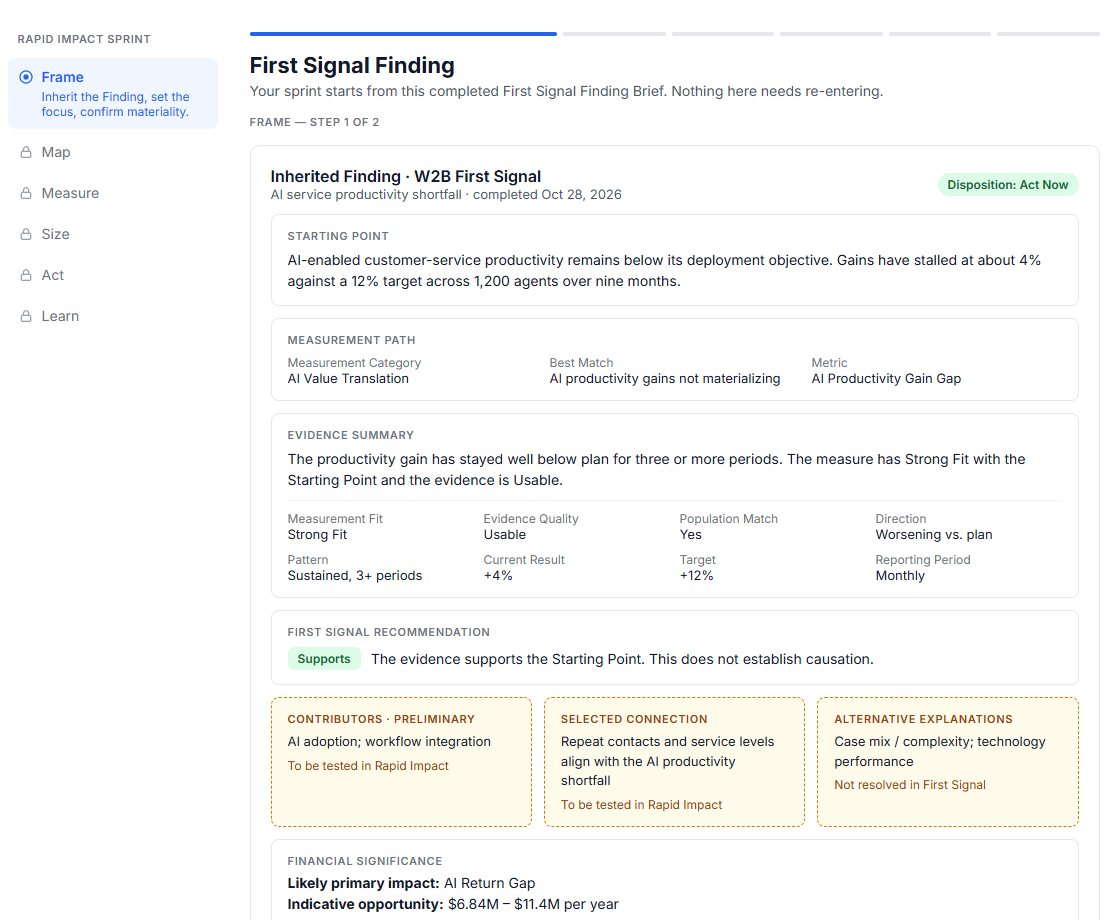
Start from a First Signal finding
A Rapid Impact sprint picks up where First Signal left off. Here, AI-enabled customer service productivity is stuck at +4% against a +12% target across 1,200 agents. Nothing needs re-entering.
- Step 2 of 15 · Frame
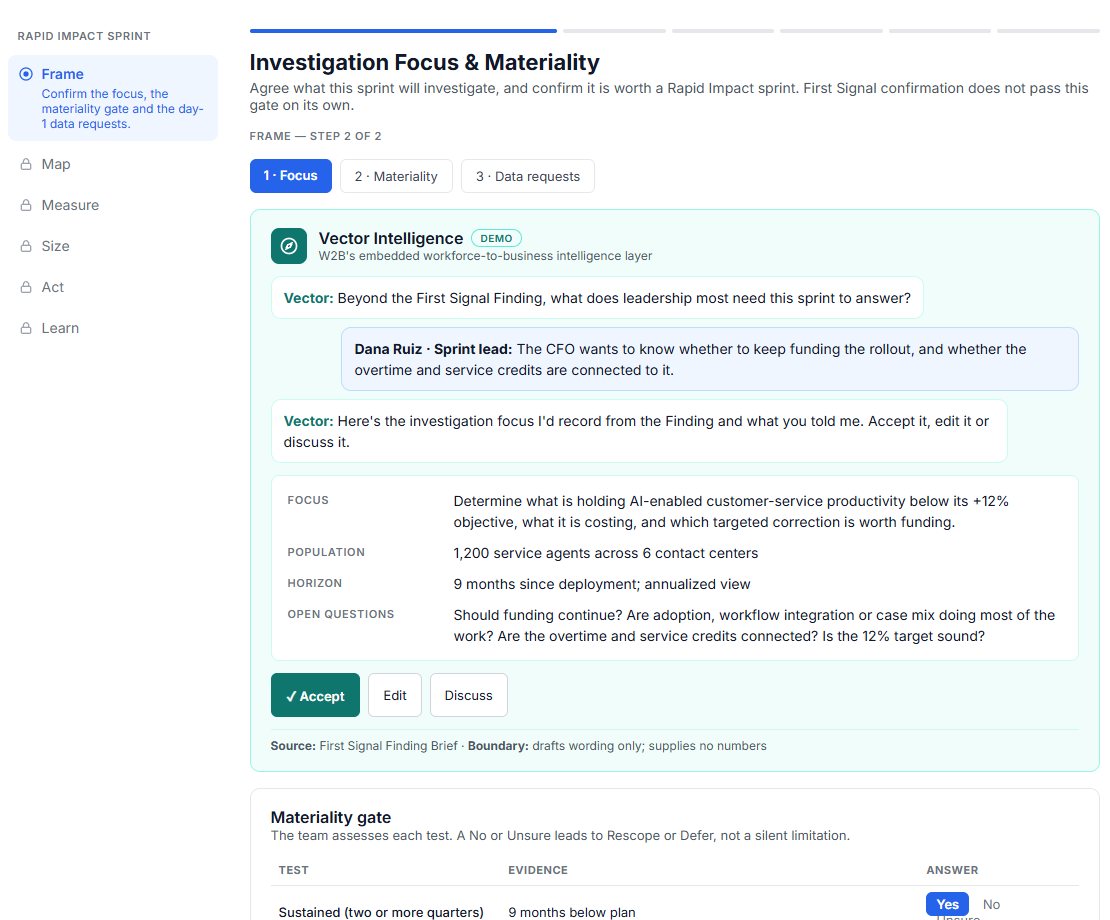
Agree what leadership needs answered
Vector Intelligence turns the sprint lead’s answer into a focus, population, horizon and open questions, and the team accepts or edits it. A materiality gate then confirms the issue is worth a sprint.
- Step 3 of 15 · Map
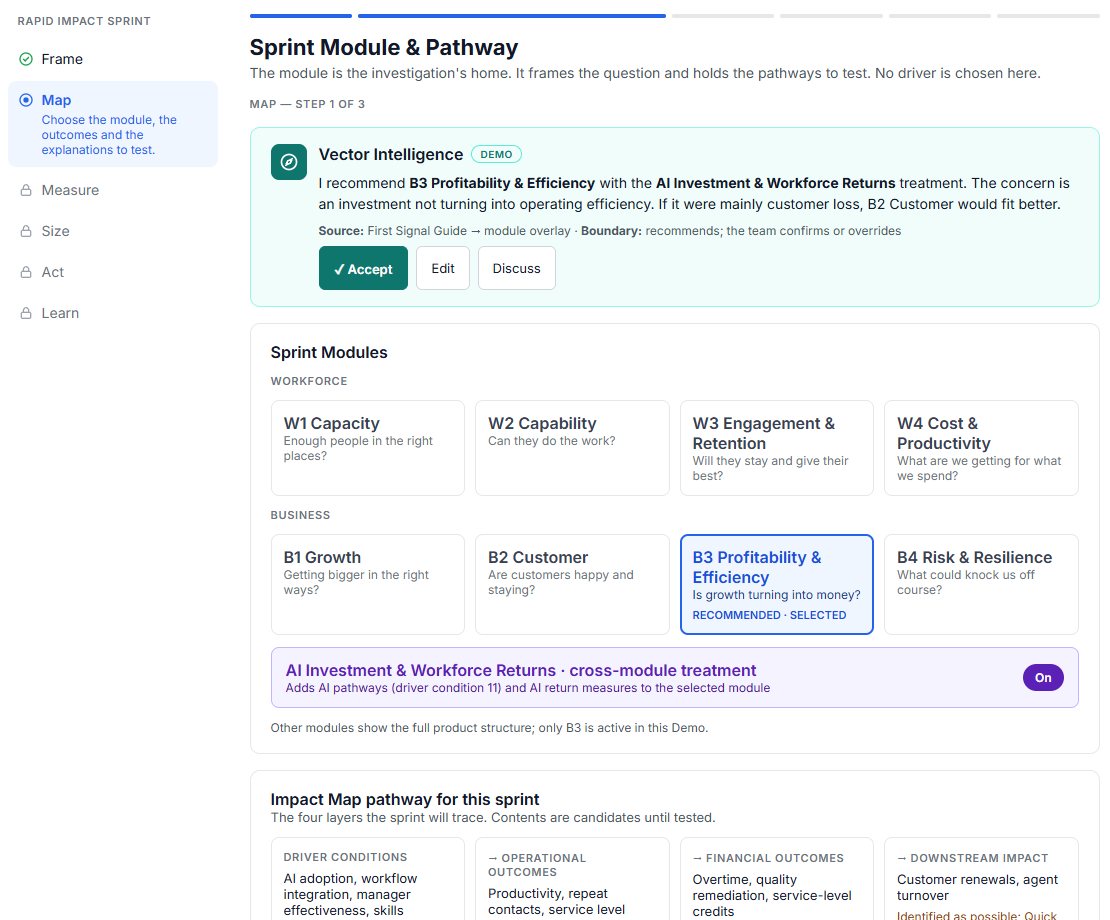
Choose the module and pathway
Pick the module where the question lives. Here it is B3 Profitability & Efficiency, with AI Investment & Workforce Returns, and the four-layer Impact Map the sprint will trace.
- Step 4 of 15 · Map
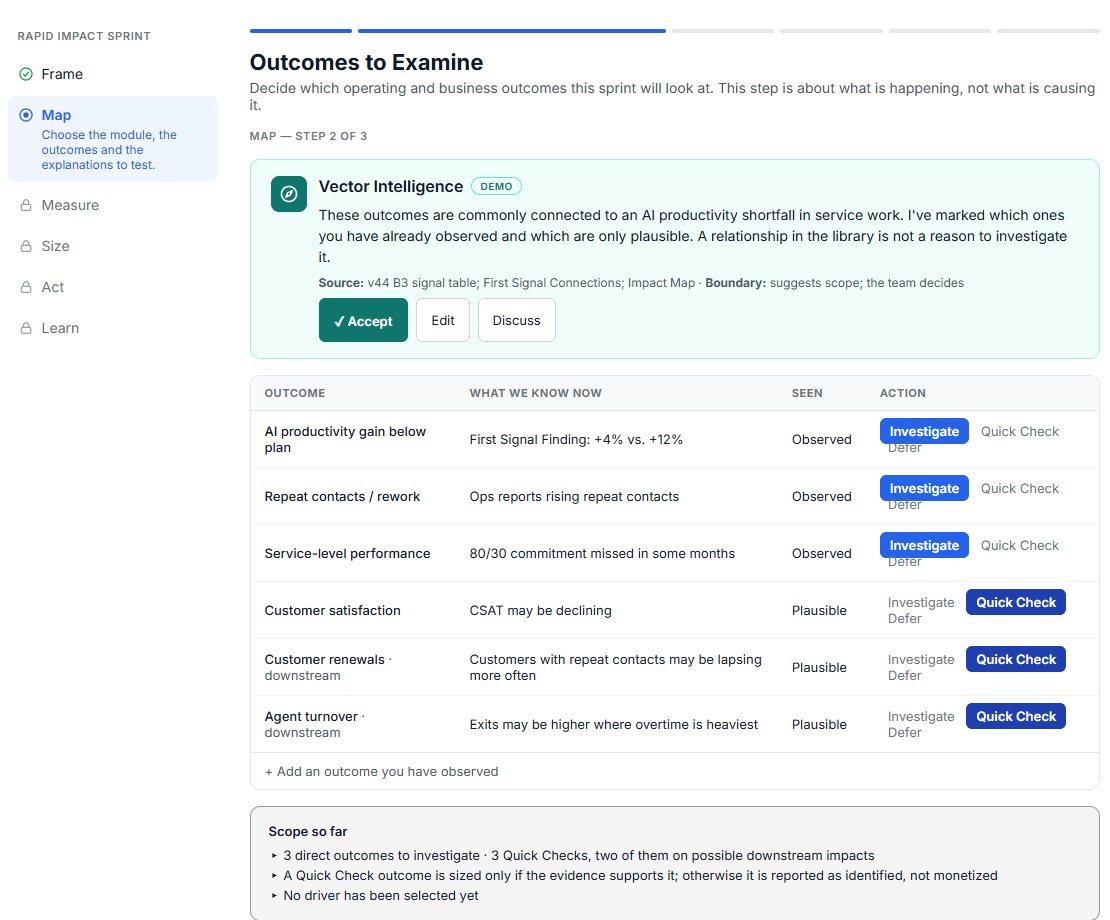
Decide which outcomes to examine
Mark which outcomes are already observed and which are only plausible. Observed outcomes are investigated; plausible ones get a quick check first.
- Step 5 of 15 · Map
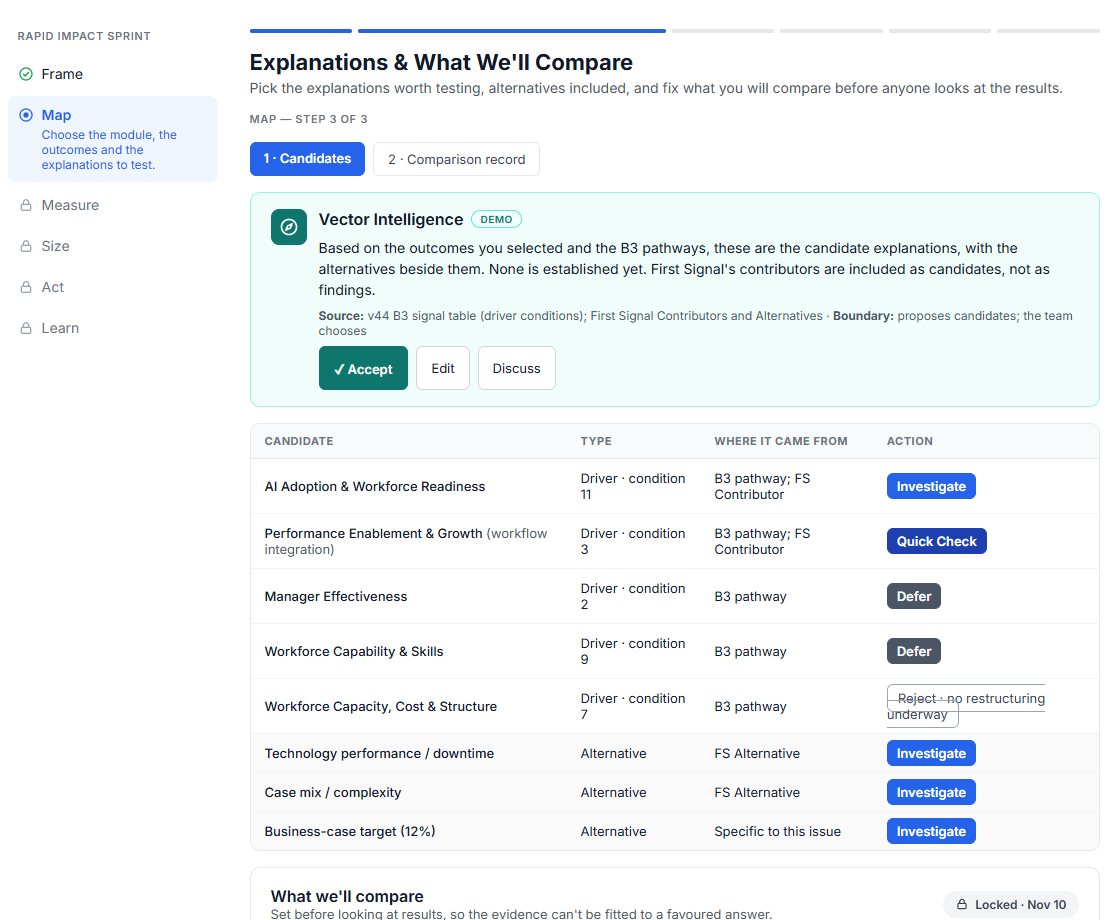
List the explanations, alternatives included
Candidate drivers and alternative explanations go into one list. What will be compared is locked before anyone looks at the results.
- Step 6 of 15 · Measure
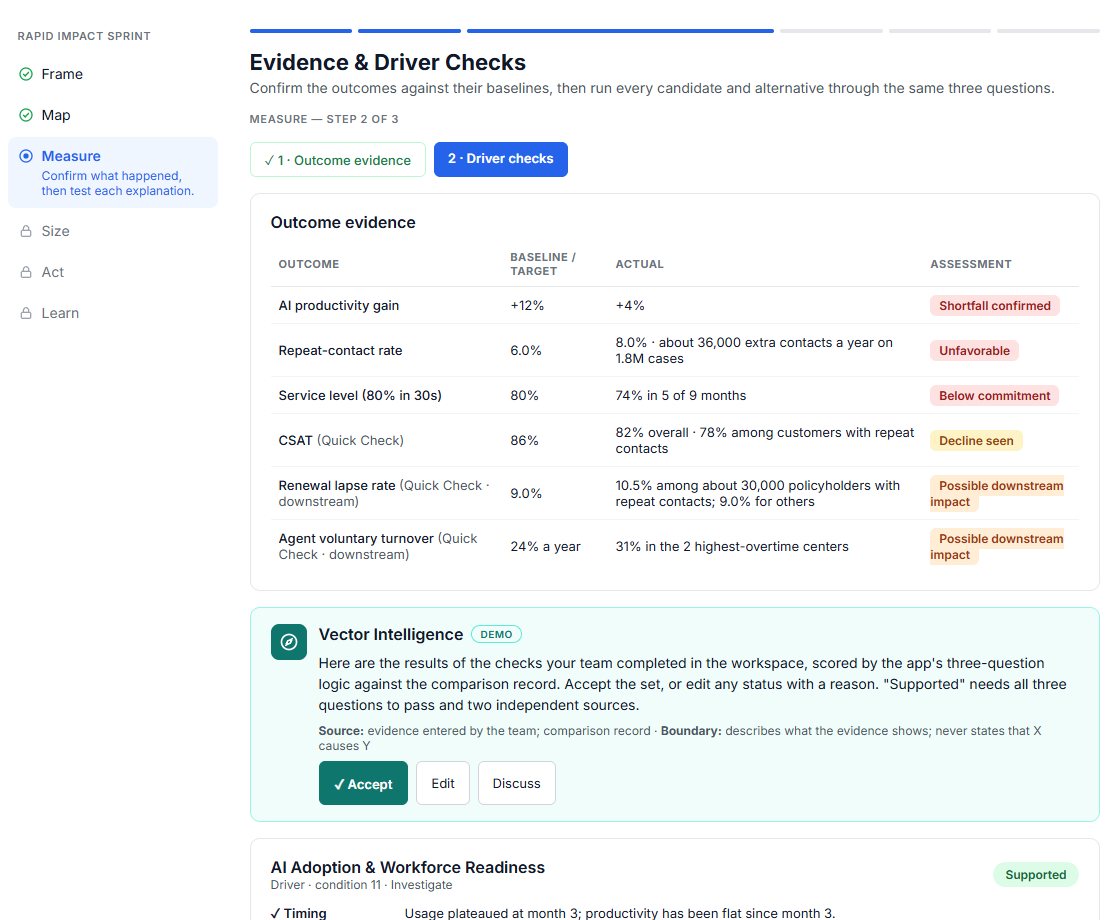
Confirm what happened
Each outcome is checked against its baseline. The productivity shortfall is confirmed, repeat contacts and service level fall short, and two possible downstream impacts are flagged.
- Step 7 of 15 · Measure
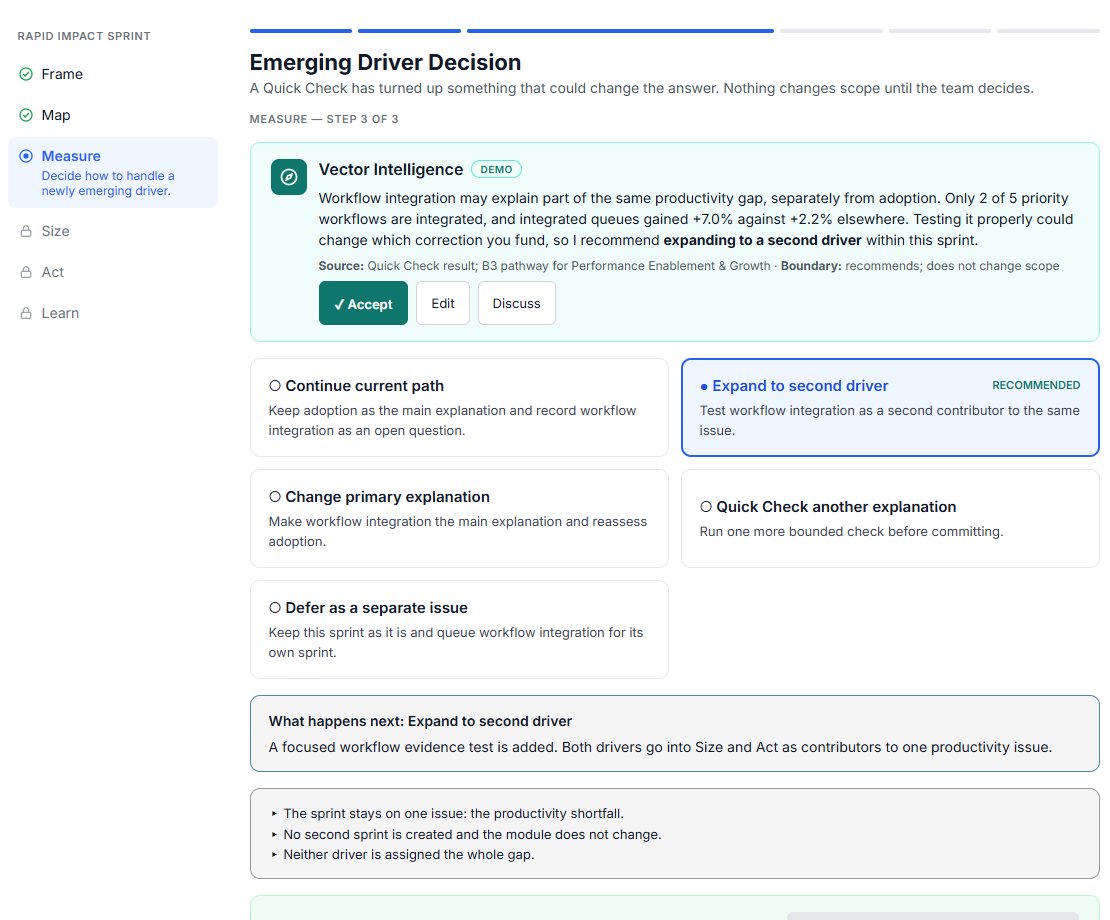
Handle a new driver without losing focus
When a quick check turns up a second driver, the team chooses how to handle it. Nothing changes scope until the team decides.
- Step 8 of 15 · Size
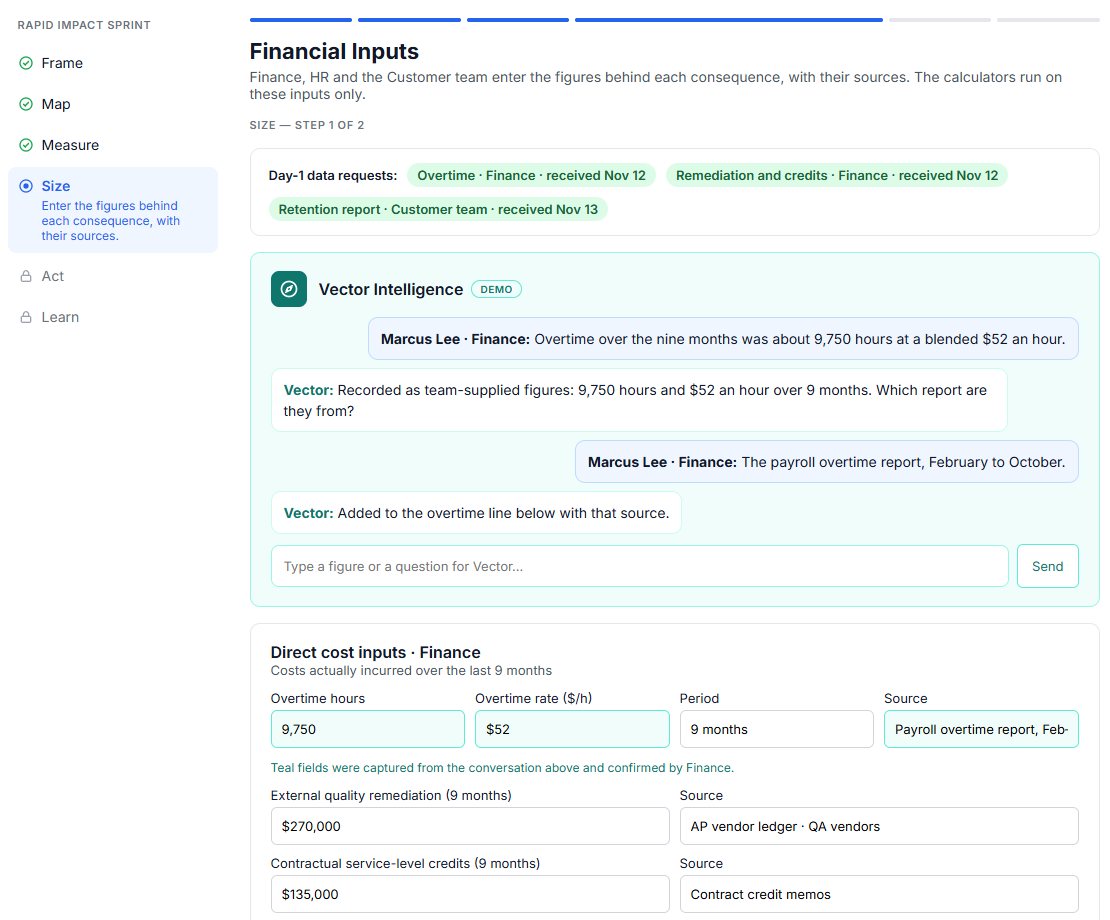
Enter the figures, with their sources
Finance, HR and the customer team supply the inputs in conversation with Vector Intelligence. Every figure keeps its source and owner.
- Step 9 of 15 · Size
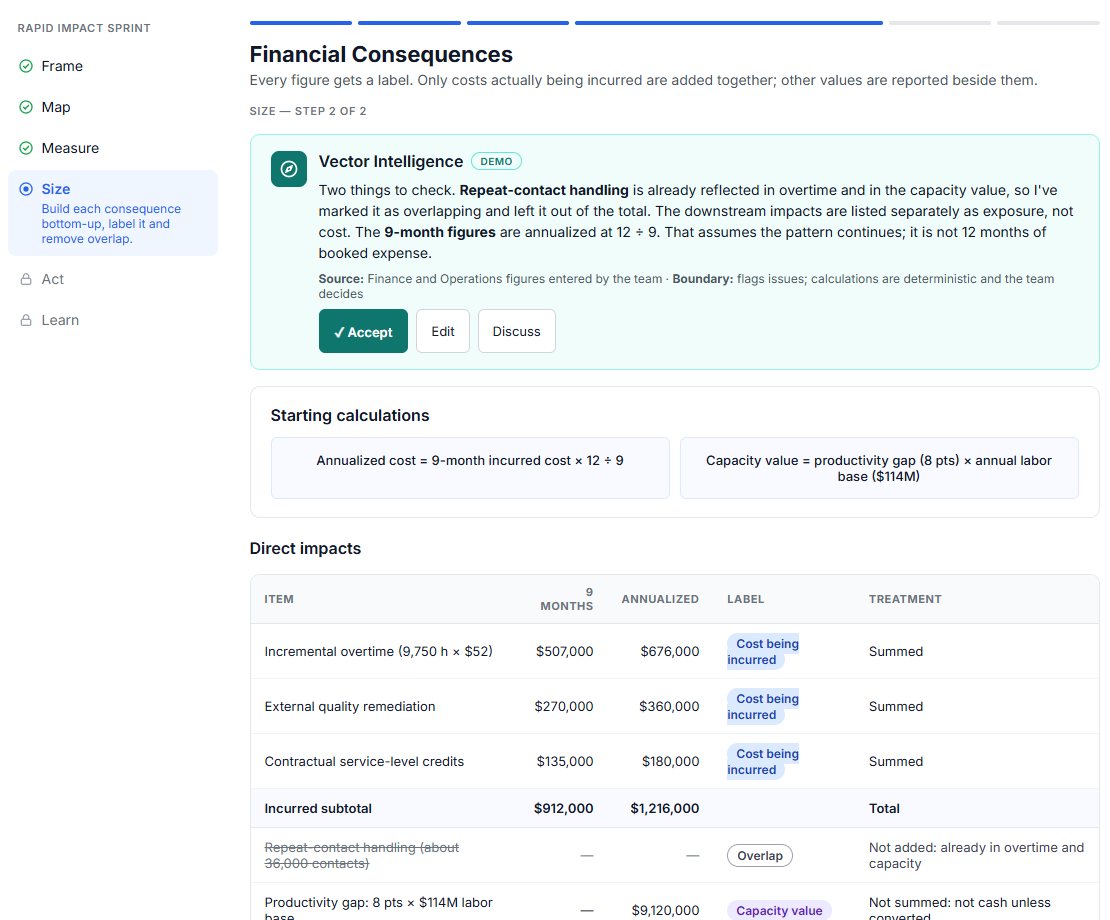
Label every consequence
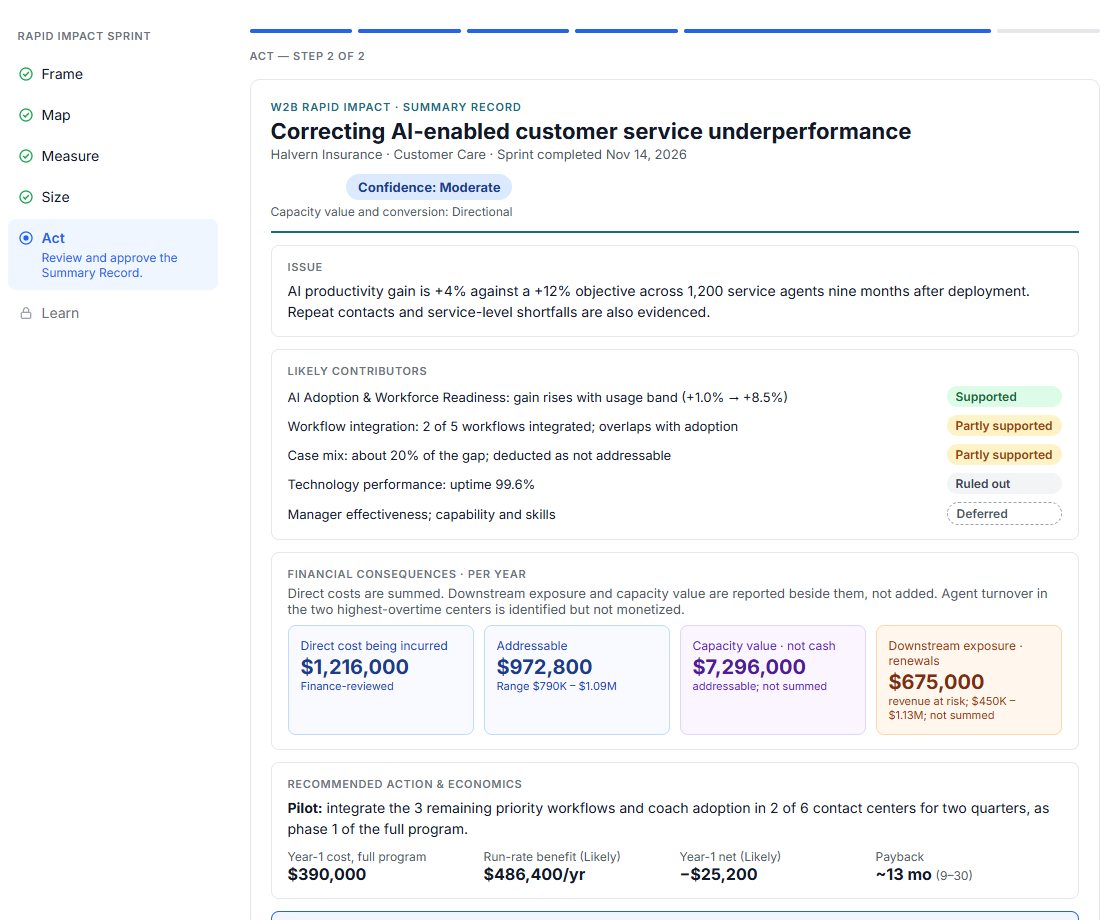
Only costs actually being incurred are added together: $1.2M a year here. Overlaps are removed, and capacity value is shown separately because it is not cash.
- Step 10 of 15 · Size
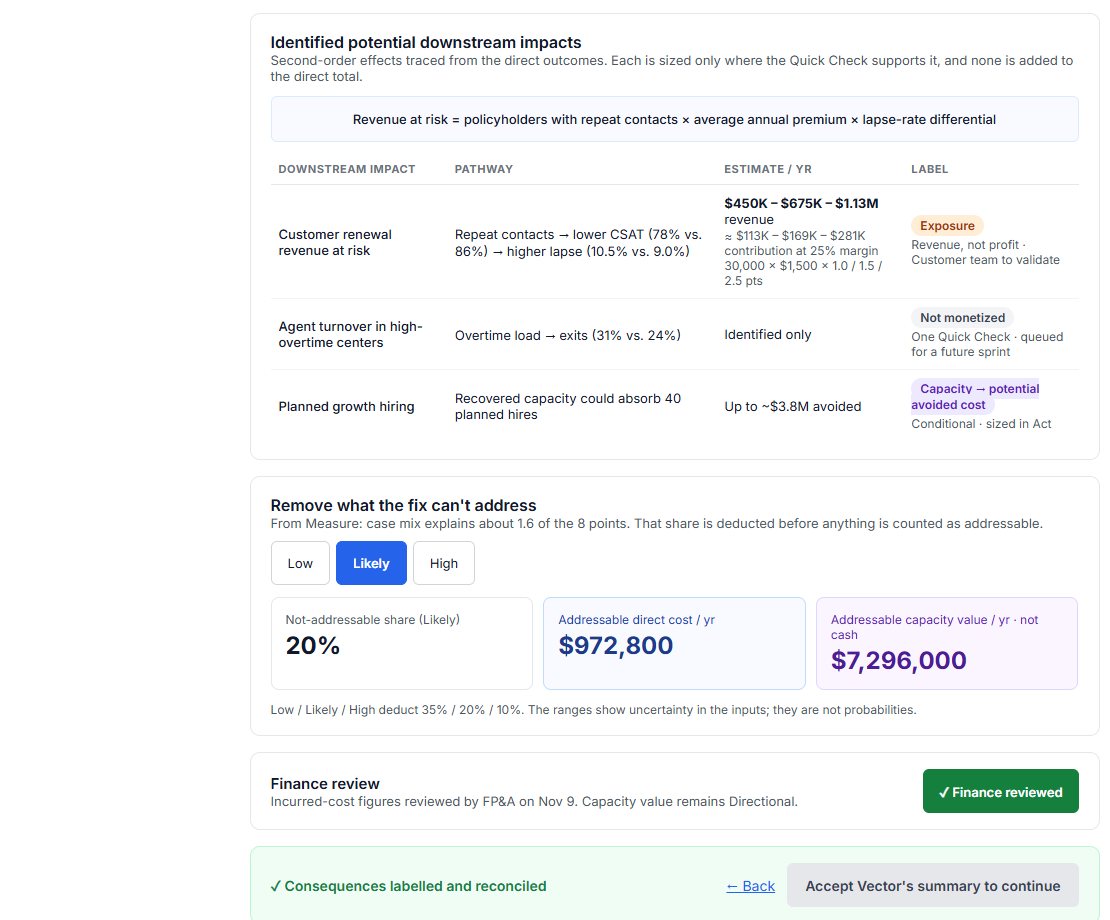
Remove what the fix can’t address
Downstream exposure is reported beside the direct cost, not added to it. The share the fix can’t address is deducted, and Finance reviews the figures.
- Step 11 of 15 · Act
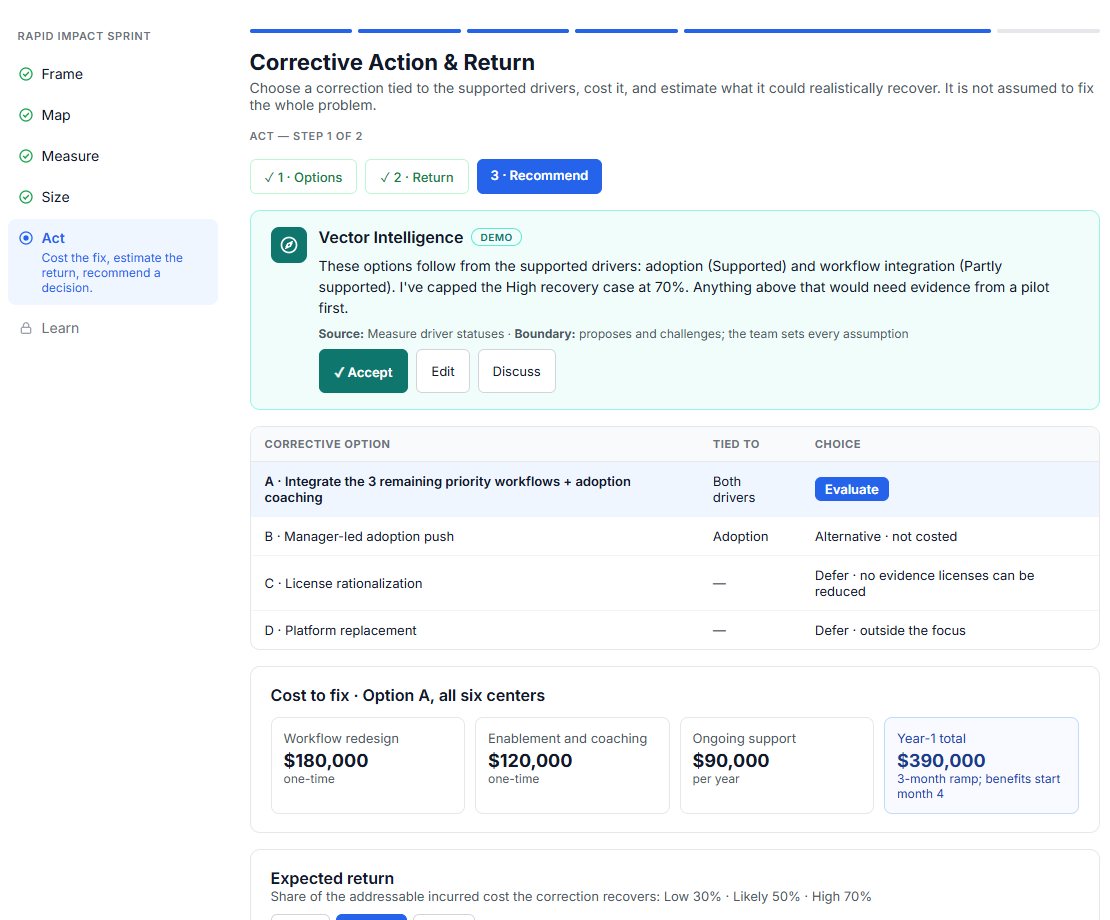
Choose a correction tied to the drivers
Each option is tied to the supported drivers and costed. Vector Intelligence caps the recovery assumption until a pilot provides evidence.
- Step 12 of 15 · Act
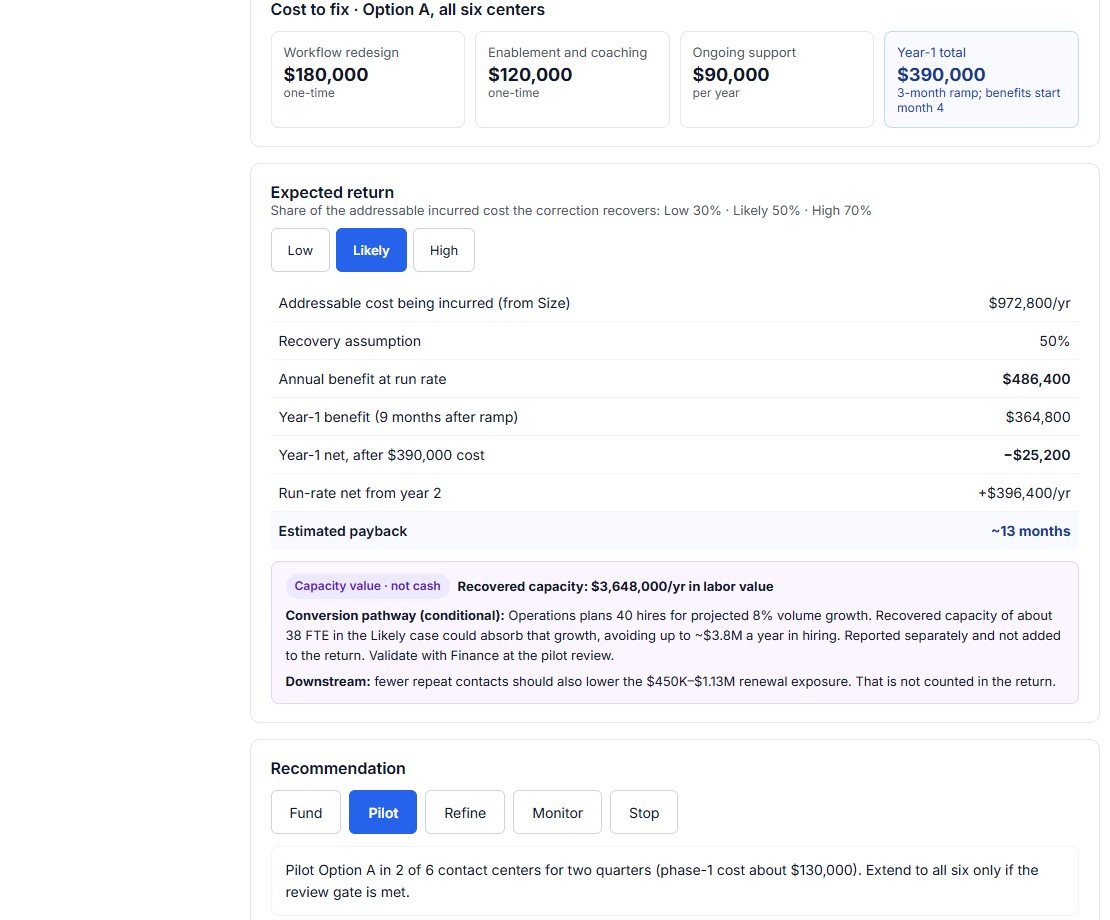
Estimate the return, then recommend
Low, likely and high cases show the annual benefit, year-one net and payback, about 13 months in the likely case. The team recommends a pilot with an owner and a review date.
- Step 13 of 15 · Act
One record for the leadership decision
The Summary Record brings the issue, likely contributors, labeled financial consequences and recommended action onto one page.
- Step 14 of 15 · Learn
Record what the team learned
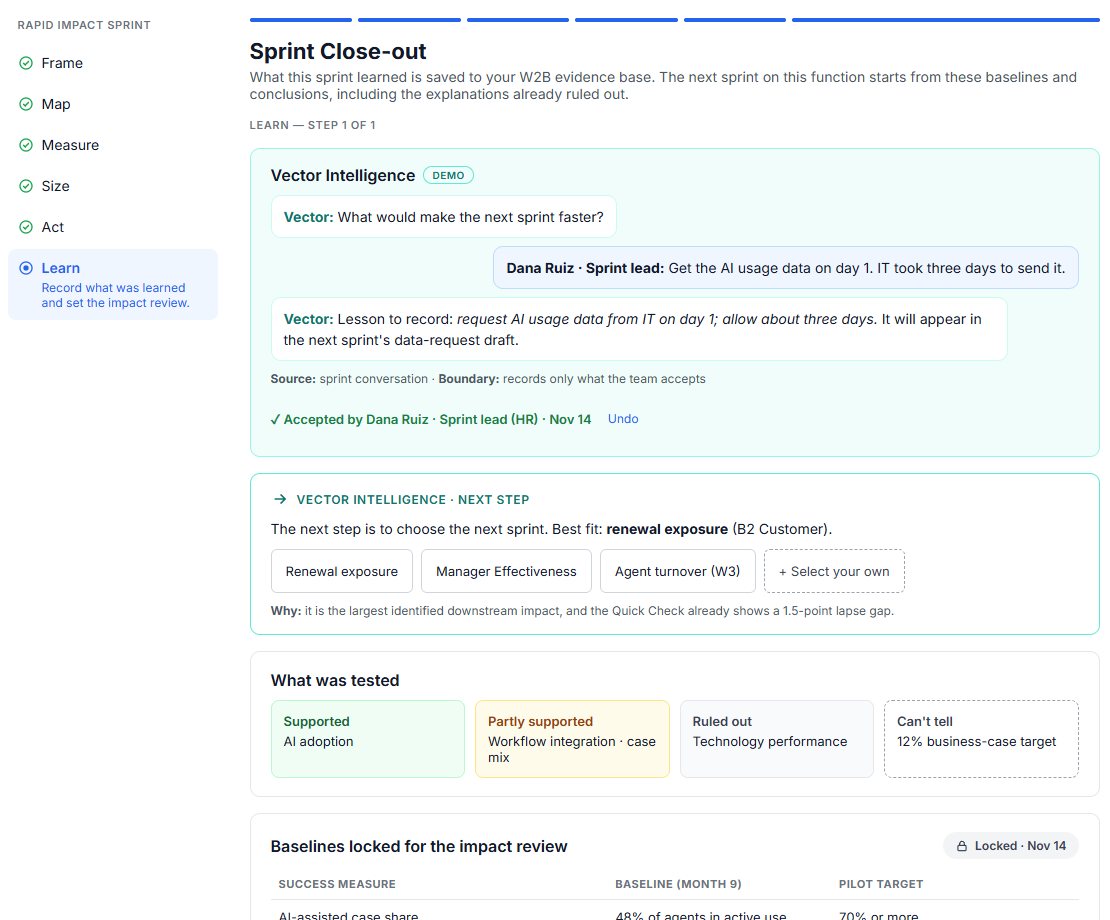
Lessons the team accepts are saved, so the next sprint starts faster.
- Step 15 of 15 · Learn
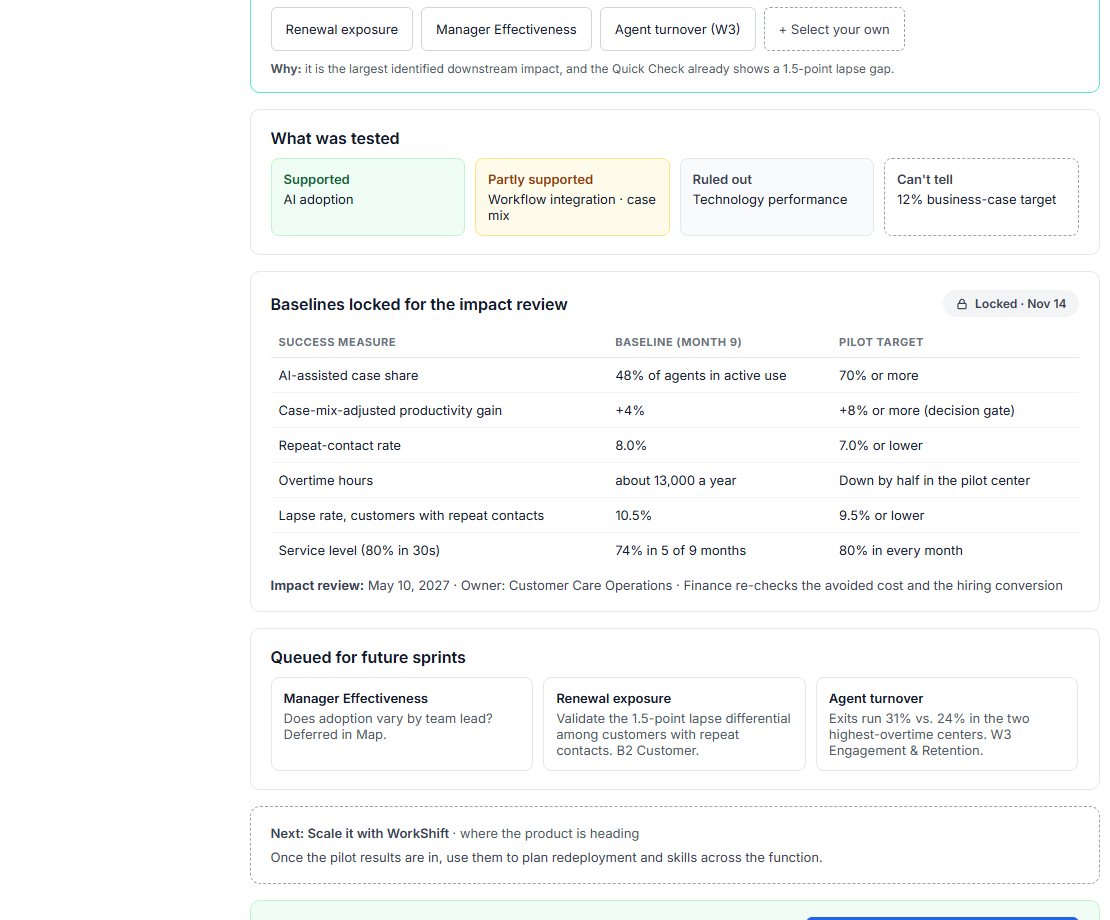
Lock the baselines for the impact review
Success measures, baselines and targets are locked for the review date, and deferred questions are queued as future sprints.
Be first to run a Rapid Impact sprint.
Rapid Impact is in development. Join the waitlist, or book a demo to talk through the decision in front of you.